Content Genius AI for CactusVPN: Guide & Eligibility
Table of contents
What Is Content Genius
Content Genius is an addon available for CactusVPN clients with Annual or Biennial subscription plans. It is a web-based tool that helps you create usage guides, tutorials, support materials, and other documentation related to CactusVPN services. It also includes tools for structured writing, editing, and creating image descriptions for your guides.
Who Can Use It
- Included with Annual and Biennial CactusVPN plans.
- Not available on Monthly plans.
- If you’re on a monthly plan, you will get access to these tools immediately after upgrading to the 1-year or 2-year plan. Your VPN and Smart DNS services remain unchanged.
How to Access It
Access to Content Genius requires an active VPN connection and a CactusVPN Client Area account. This is to ensure secure authentication through a Single Sign-On (SSO) link.
- Connect to any CactusVPN server using your VPN application.
- Log in to the CactusVPN Client Area.
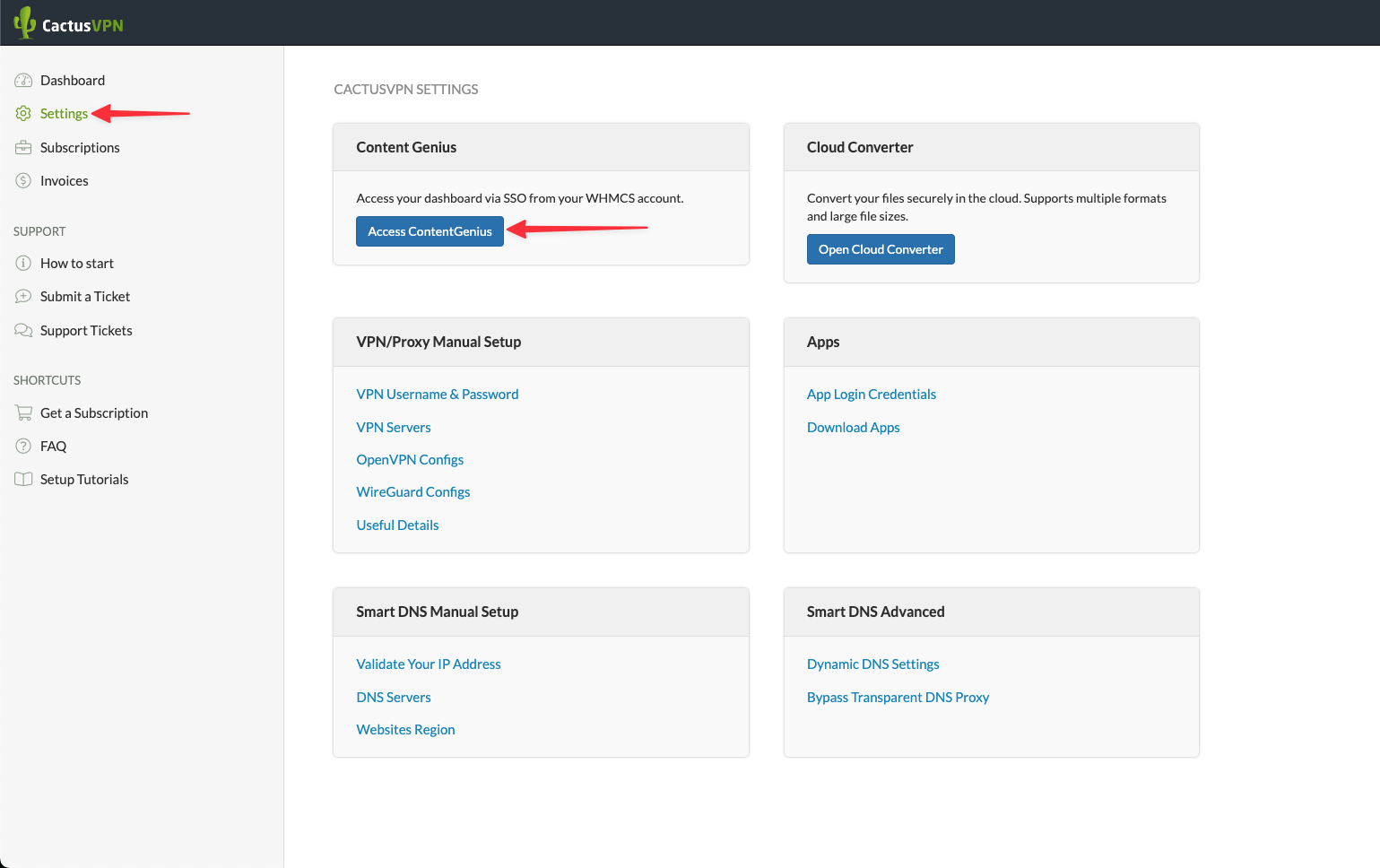
- Go to Settings in the left menu.
- In the Content Genius section, click the Access Content Genius button.
- The first click generates your secure SSO login link. Wait until the link is created.
- Click the button again. This will open Content Genius in a new browser tab and sign you in automatically.
You can now use the Content Genius dashboard with your CactusVPN credentials. The connection must remain active for the session to function correctly.
How to Use Content Genius
After you access the dashboard, you will see the main menu on the left side. It contains Dashboard, Templates, Documents, and Images. Each section serves a specific purpose.
- Dashboard shows your overall usage and quick access to sections.
- Templates lets you start with predefined structures such as Article, Outline, Paragraph, Social, Website, and Marketing. Choose a format, then edit it for your use case.
- Documents allows you to create or manage your drafts. Click New, give it a name, write your prompt, and press Generate. You can then refine, save, or export the text.
- Images provides tools to describe or create visuals. Add a name, description, and resolution, then click Generate. You can later include these images with proper alt text and captions.
- Words every generated or rewritten piece of text uses part of your monthly word quota.
- Tokens are counted internally and converted automatically to words in the usage meter.
- Counting rules Documents, and image descriptions consume words. Transcriptions may have a separate limit depending on your account settings.
- No upgrades the Content Genius quota cannot be extended or upgraded during the billing cycle. Once the limit is reached, you must wait for the next monthly reset or renewal period.
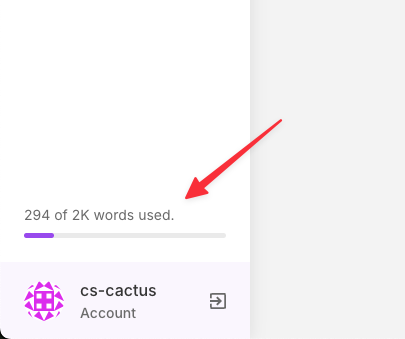
- Monitoring you can view usage details under Account → Plan and track live progress in the sidebar meter.
- Writing and documentation create clear and structured usage guides, troubleshooting instructions, and support materials.
- Templates library access over one hundred prebuilt templates for content, website, marketing, and communication tasks.
- Text improvement rewrite, summarize, or expand existing text. Fix grammar and formatting for clarity.
- Outlines and sections generate outlines, titles, subheadings, and well-formatted paragraphs.
- Content management store all generated drafts in the Documents area for future use or revisions.
- Visual assistance create or describe images for your documentation. Set resolution and add style or medium if needed.
- SEO helper suggest alt text, captions, and filenames for images to make them SEO-friendly.
- Translation support prepare texts in multiple languages and adapt them for other audiences.
- Export ready content copy finished sections into WordPress with headings, IDs, and schema-ready HTML.
- Account tools use your CactusVPN SSO login, view your plan details, and monitor word usage directly from your account dashboard.
- It does not publish automatically to your website. All content must be reviewed and saved manually in WordPress.
- It does not modify your VPN or Smart DNS settings.
- It does not change or affect your CactusVPN subscription or service configuration.
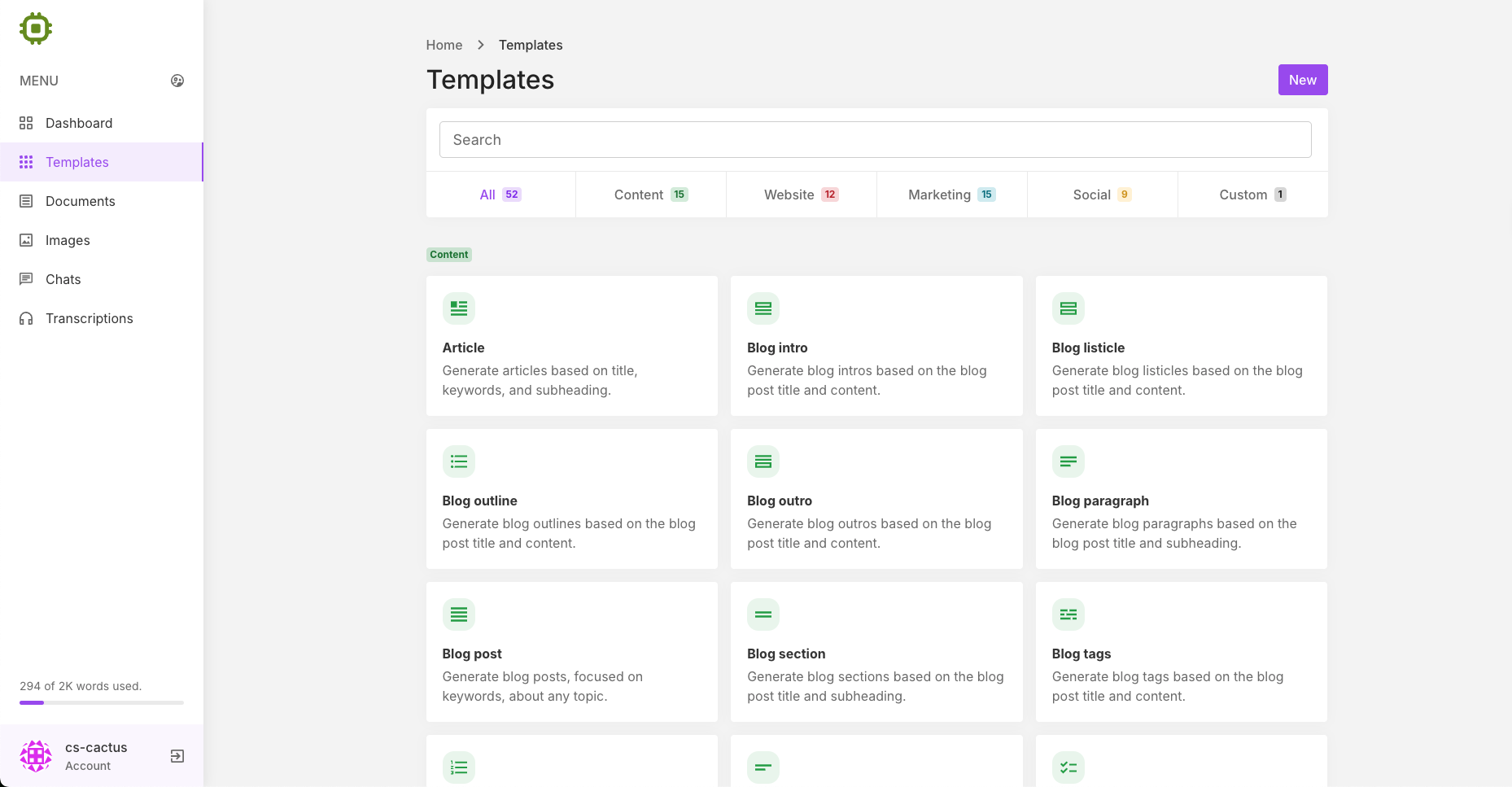
Your usage progress bar is displayed at the bottom left of the sidebar (for example “294 of 2K words used”). This shows your remaining monthly allowance.
Usage Limits
What It Does
Although Content Genius includes templates for blog and marketing content, CactusVPN uses it mainly to create internal documentation, how-to articles, and client support materials.
What It Does Not Do
FAQ
Do I need to be connected to the VPN?
Yes. You must be connected to a CactusVPN server before accessing Content Genius. The VPN connection is required to validate your SSO login securely.
Can I increase the word limit?
No. The word allowance resets automatically every month. There is no upgrade or add-on to extend the quota during a billing period.
Where is the Access button?
Go to Client Area → Settings → Content Genius and click Access Content Genius. The first click creates your SSO link, and the second opens your dashboard in a new tab.
Can I use Content Genius for blog posts?
The system includes templates for general writing, but at CactusVPN it is mainly used for internal documentation, guides, and client support text.
What happens when I reach the limit?
When your word allowance is used up, new generations will pause. You can continue editing existing drafts but must wait for the next monthly reset to generate new text.