How to Use Email Breach Check in CactusVPN
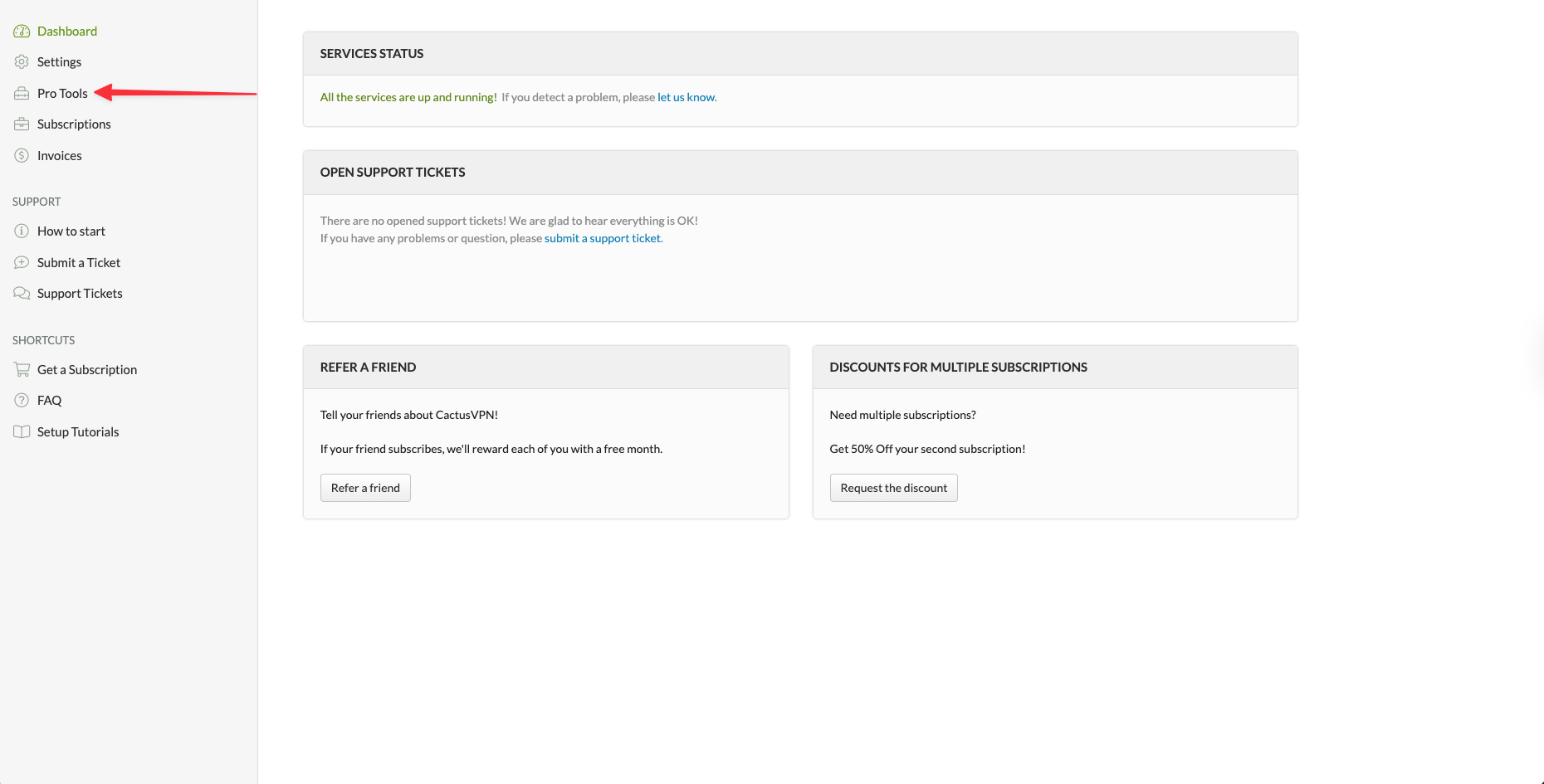
1. Log in to the CactusVPN client area and go to Pro Tools in the left sidebar menu.
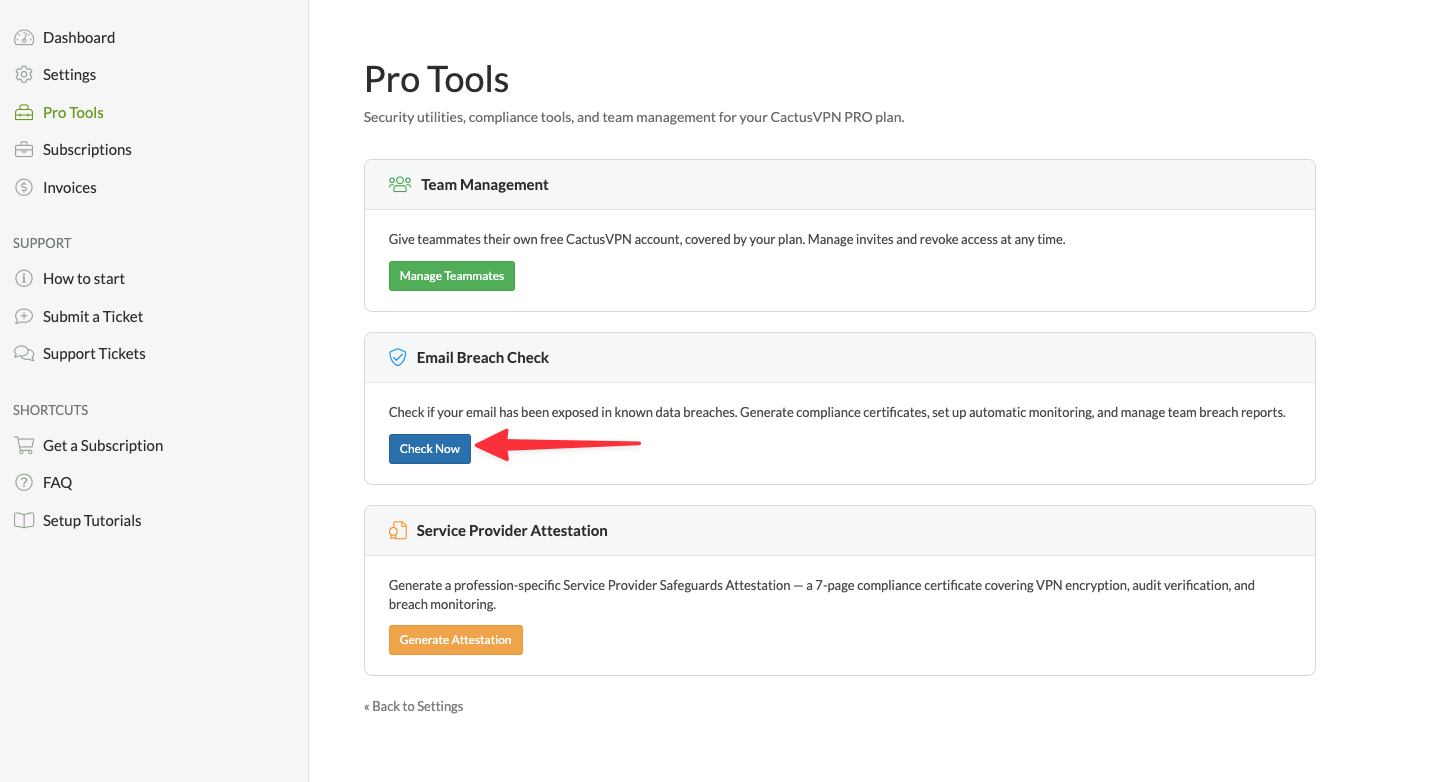
2. Find the Email Breach Check section and click the Check Now button.
3. You will land on the Email Breach Check page. There are two ways to run a manual check:
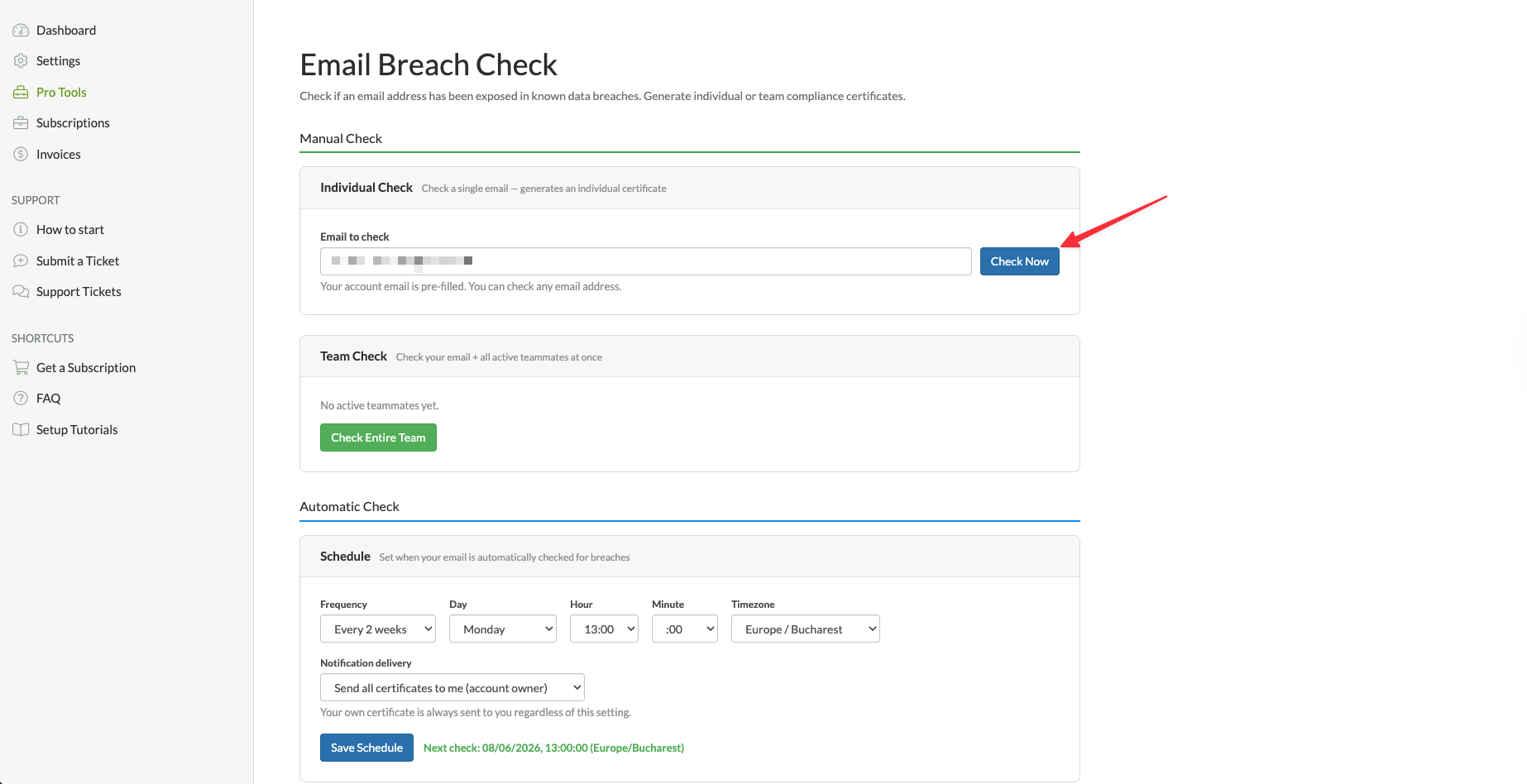
Individual Check — Your account email is pre-filled, but you can check any email address you want. Simply enter the email and click Check Now. Once the results are in, you can send the report directly to the checked email address or download it as a PDF.
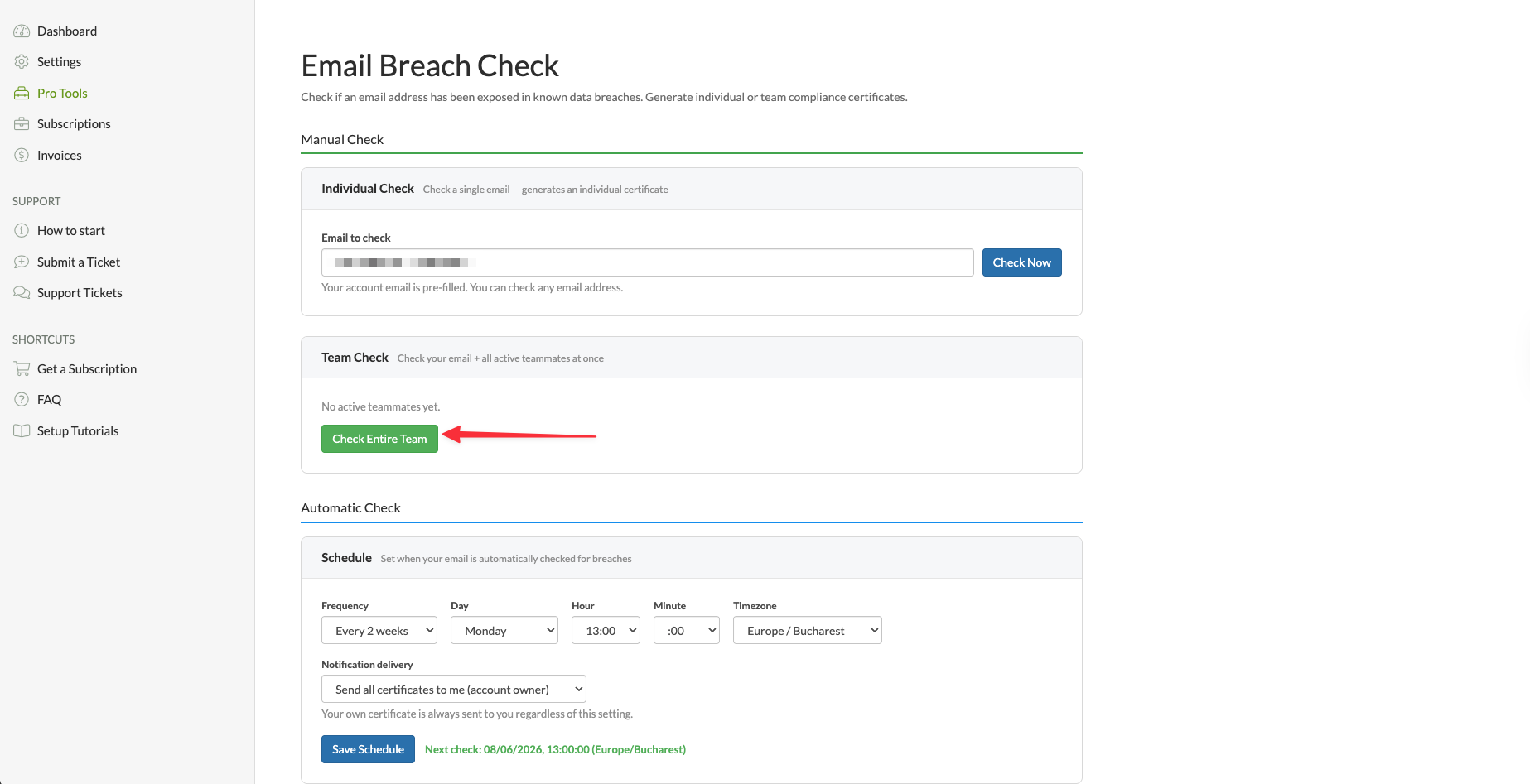
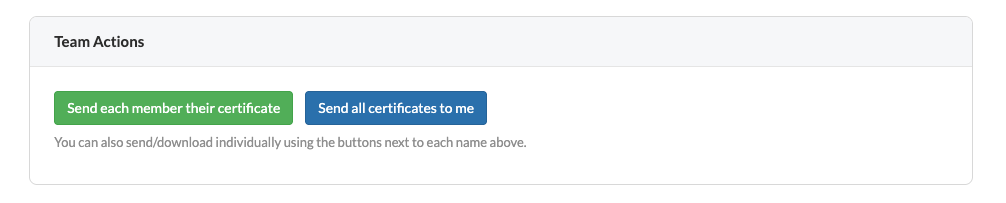
Team Check — If you have active teammates, you can check all of them at once by clicking Check Entire Team. Once done, you can either send each teammate their own individual certificate, or have all certificates sent directly to you as the account owner.
4. You can also set up an Automatic Check so you never have to do it manually. Under the Schedule section, choose how often you want the check to run — weekly, every 2 weeks, or monthly — and set the day, hour, minute, and timezone that works for you.
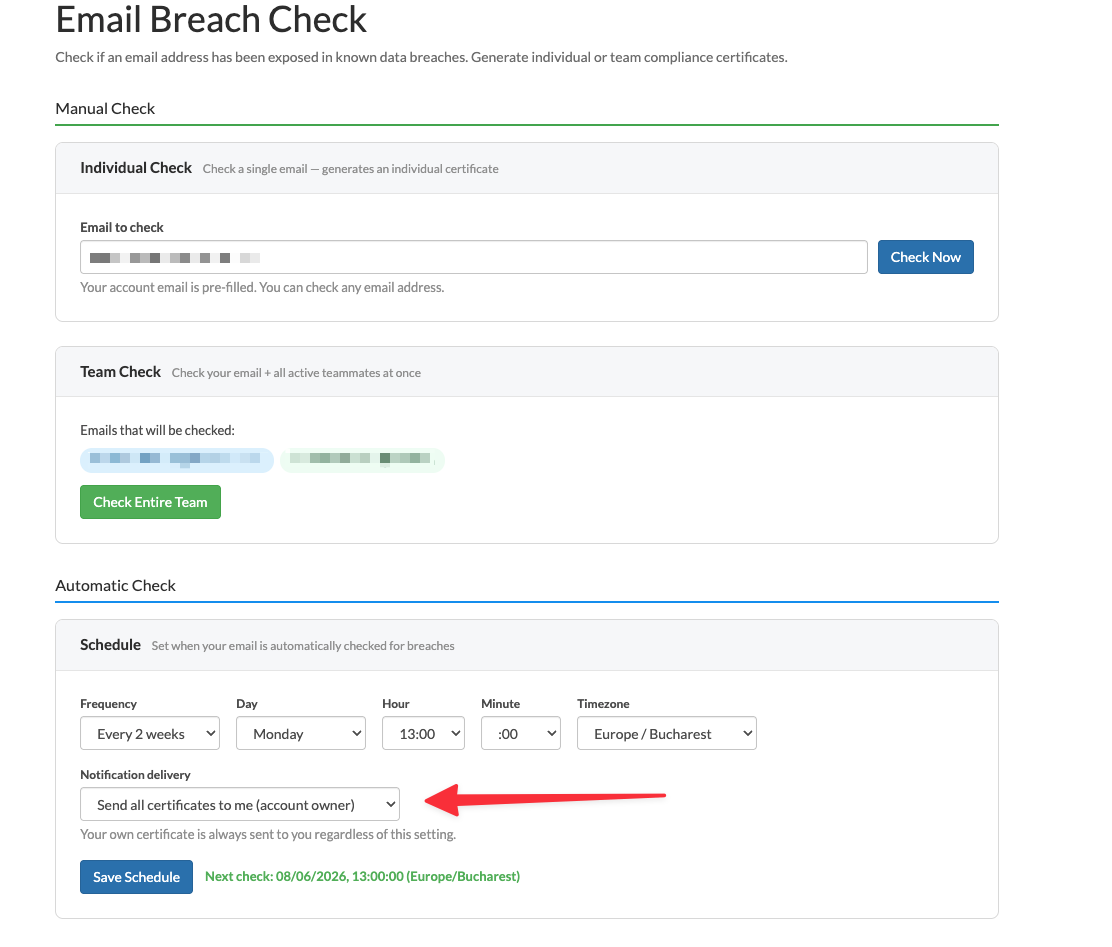
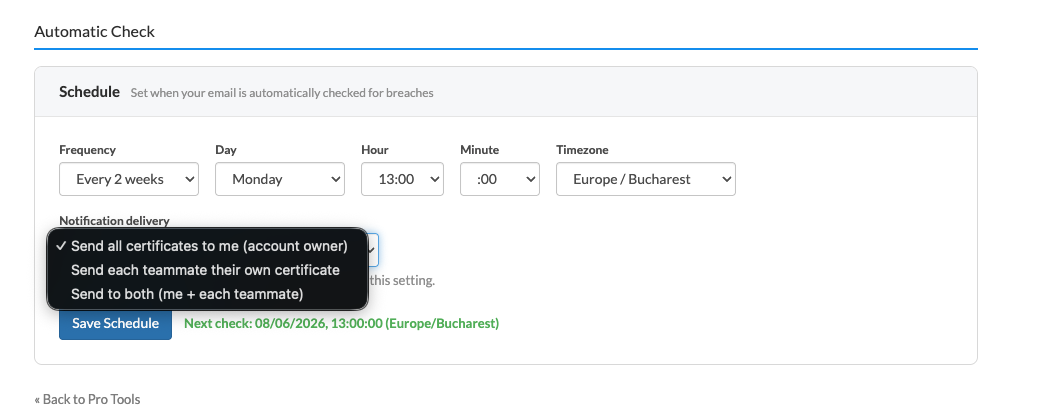
5. Under Notification delivery, choose who receives the certificates after each automatic check. You can send all certificates to yourself as the account owner, send each teammate their own certificate, or send to both you and each teammate. Once you are happy with the settings, click Save Schedule.
VPN and Smart DNS Services
Protect online privacy, secure your connection and access blocked websites
Try CactusVPN For Free